The Best Smart Home Devices of 2024
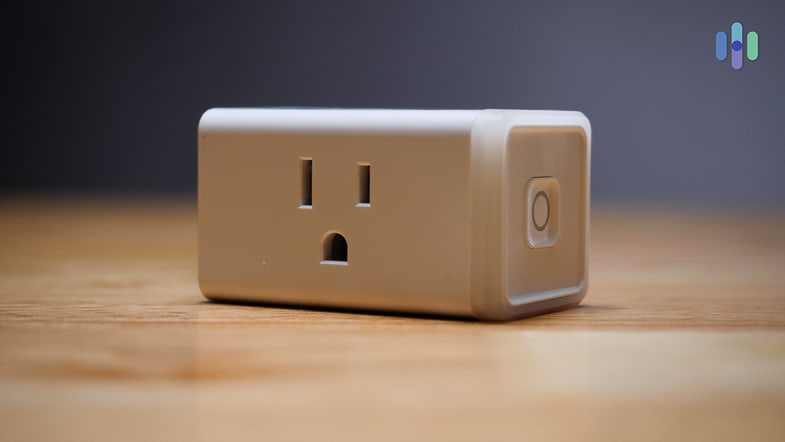

Our Favorite Features
- Turns non-Internet-connected devices into smart devices
- Compact design won’t block other plugs
- Easy setup
- Integrates with Alexa
Our Least Favorite Features
- Doesn’t work with Google Assistant
- Doesn’t work with Apple HomeKit
- Only works with appliances that have mechanical on and off switches
- Glitchy when it comes to usage
Turns Basic Devices Into Smart Ones
We were owners of a regular coffee maker; plugging it into the Amazon Smart Plug made it a smart one. We also had an old-school lamp, which Amazon Smart Plug made work like a smart light bulb. The Amazon Smart Plug took any ordinary appliance with an on and off switch and made it a smart device we could voice control through Alexa. It’s important to note that this plug is compatible with any Amazon device, like the Fire TV, Fire Tablet, Sonos, the Alexa App or the Echo show, which we tested in our Echo Show review.
Money-Saving Tip: For $24.99 you can buy a plug to make any regular device and smart device. This will cost you less than buying a smart coffee maker or smart vacuum and is a way to create a smart home without shelling out a ton of money.
Integrates with Alexa Guard Away Lighting
We plugged the lights in our family room into our Amazon Smart Plug so we could use Alexa Guard Away, a free, remote, self-monitored security skill that comes with the Echo. By connecting our smart plug to our Echo, we could have our lights randomly turn on and off to simulate a person being home. Because home invasions increase during the summer months when most people are on vacation or out of town, we were happy we pulled the trigger and purchased our smart plugs in the spring.2
Before we headed out of town, we told Alexa when we left and set it up to automatically turn lights on and off at random times. By setting our lights to intermittently turn on and off, we felt confident that people who didn’t know we were gone would think we were home. In fact, it was so believable, when we were on a trip to Philadelphia, a friend popped over on his way home from work to say hi. Because he saw the lights on, he thought we were home. You can take this same concept a step further by using one of the best home security systems that work with Alexa.
2. Nest Wi-Fi Router and Point – Best Wi-Fi Router

Our Favorite Features
- Simple installation
- Nest Wi-Fi Point doubles as a smart speaker
- Strong router performance
- User-friendly app
Our Least Favorite Features
- Expensive
- Lacks advanced customization features
- No ethernet ports on the Nest Wi-Fi Point
- Router only comes in white
Strong Router Performance
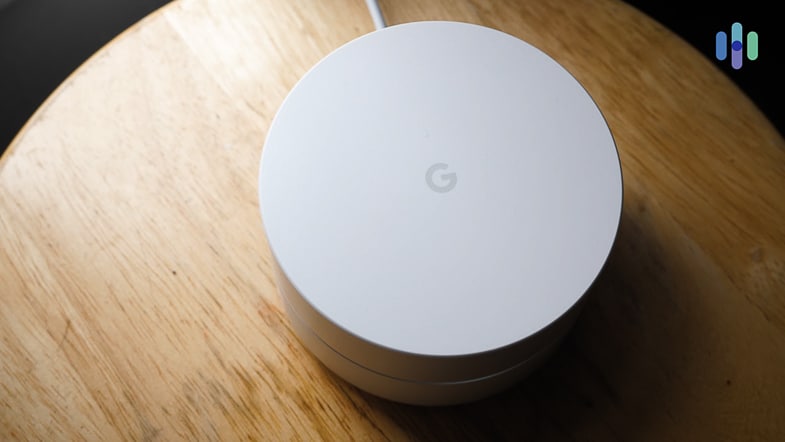
The Nest Wi-Fi router connected us to the fastest Wi-Fi Point in our home. Even with 200 devices connected to just one of our Points, our Internet connection remained strong. Before we installed our router and Point, we constantly got the thinking symbol whenever we tried to stream Netflix. But, thanks to our Nest Wifi, those days are gone. Once installed, we were able to watch whatever we wanted without worrying about a slow Internet connection. If you like your Nest Wifi as much as we did, you should check out our review of the Google Nest Secure System for more smart home capabilities through the Nest ecosystem.
Nest Wi-Fi Doubles as a Smart Speaker
Not only did the Nest Wi-Fi Point, which you can learn more about in our Nest Wifi video review,4 act as a Wi-Fi extender, it also served as a smart speaker. With Google Assistant embedded in it, we could play music and control our Wi-Fi network with our voices wherever we had a Point in our home. Because we had a Point in our bedroom, we used the speakers to listen to calming music before bed and to turn off our smart lights when we wanted to go to sleep.
3. Vivint – Best Smart Home Security System
Product Specs
| Equipment costs | Starting at $449 |
|---|---|
| Monitoring options | Professional |
| Monthly monitoring costs | $40 per month |
| Contract lengths | Starting at 42 months |
| Installation options | Professional |
| Smart platform integration | Alexa and Google Home |

Our Favorite Features
- Integrates with Alexa and Google Assistant
- Wide range of high-end equipment
- User-friendly app
- Outdoor camera sends a notification if someone is lurking outside the home for longer than normal
Our Least Favorite Features
- Expensive
- Long-term contracts
- Professional installation required
- Long customer service wait times
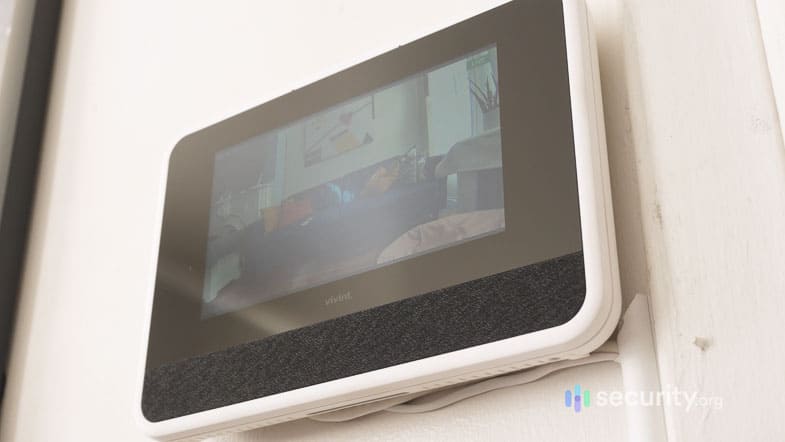
Integrates with Multiple Smart Home Devices
The Vivint Home Security System integrates with a handful of different smart home platforms, like Google Home, Amazon Echo and Philips Hue smart lighting. When we reviewed the latest Vivint smart home system, we integrated it with our Amazon Echo Show and used our voices to ask Alexa to record video.
Wide Range of High-End Equipment
Vivint offers a wide variety of equipment including outdoor cameras, one of which you can learn more about in our Vivint Outdoor Camera Pro review, a Vivint Doorbell Camera, which we tested for our Vivint Doorbell Camera review and smart locks like the August Smart Lock Pro, which we tested when looking for the best smart locks of 2024. We used the doorbell camera to keep eyes on what took place outside our home. With the doorbell camera, we could talk to the person on the other side of the door without having to open it. We also were notified if someone was lurking or spending more time outside our door than usual. Most of the time it was just the mail person taking a break during his route, but it was comforting to know we always had eyes on the outside.
You Should Know: To cut down on the price of a Vivint Home Security System, go with one of their package options instead of buying individual Vivint products. The system comes with a lot of different equipment that is even pricier when purchased on its own.
4. Amazon Echo Show 5 – Best Smart Home Device for Cooking
Our Favorite Features
- Affordable
- Digital cookbook
- Integrates with Alexa
- Entertainment features
Our Least Favorite Features
- Frequent advertising
- No voice control for non-Apple music services
- Doesn’t connect to Bluetooth
- Small, five-inch screen
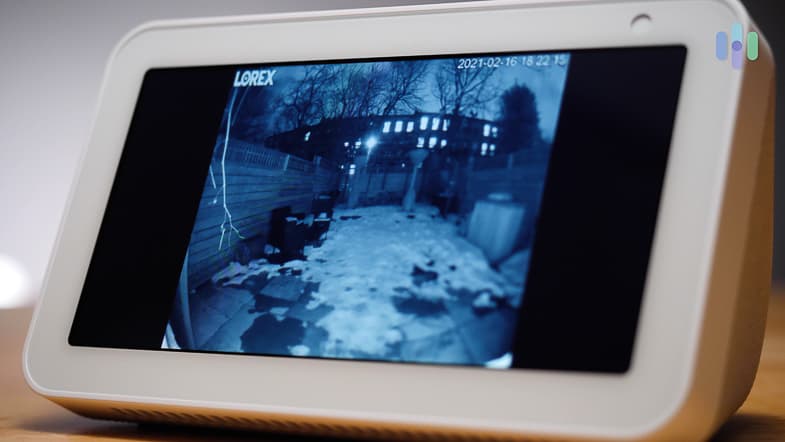
Affordable
The Amazon Echo Show 5 is the less expensive version of the Amazon Echo Show, coming in at $89.99 compared to $229.99. While reviewing the Amazon Echo Show product line, we found that the Amazon Echo Show 5 gave us many of the same features as pricier versions, such as the ability to control our smart home, to watch movies or television shows, to update to-do lists or calendars and to try out new recipes. And the best part; we got all of this for two and half times less than what paid for the Amazon Echo Show. If you’re up to spending a bit more, check out our review of the Amazon Echo Show 8. That’s the latest Amazon Echo Show model.
Digital Cookbook
We’ve always loved to cook, so having a smart device to enhance those skills is a plus. We set up our Amazon Echo Show 5 in the kitchen and mostly used it on weekends when experimenting with new dishes. We used the voice-activated step-by-step recipe guide to make some of our favorite things like chicken parmesan with homemade tomato sauce and chocolate cake. Thanks to our Amazon Echo Show 5, cooking for us has become a more interactive process than ever before.
5. Nest Protect – Best Smart Home Device for Monitoring Smoke and Carbon Monoxide
Our Favorite Features
- Remote monitoring
- Heat and humidity sensors
- Fast detection
- Ability to silence the alarm from the Nest app
Our Least Favorite Features
- Expensive
- Only integrates with Google Assistant
- Lack of digital display
- No obvious silence button
Remote Monitoring
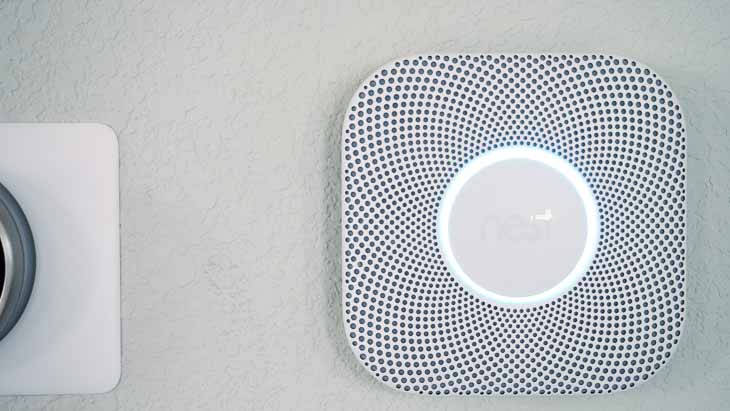
When we’re out of town, we want to clear our minds and relax. The Nest Protect, along with our Nest Secure Home Alarm System, helps us do just that. The smart home fire and carbon monoxide alarm gave us the ability to monitor our home from anywhere. Once, when sitting on the beach, we got an alert about smoke and called a friend to check in on our home. Turns out, there was smoke coming from our toaster oven in the kitchen that we forgot to unplug. Our friend was able to unplug it, but we don’t want to think what could have happened had we not gotten a remote alert. Because more than half of residential fires start in the kitchen,3 we recommend having a Nest protect in that room of your house.
Heat and Humidity Sensors
With the heat sensor, Nest Protect could notify us if there was a sudden rise in temperature in our home. When our toaster oven was smoking we got notified about the alarm going off, but the heat sensor didn’t go off. That gave us confidence there was full-blown fire in our home and we took care of the problem before disaster struck. As for the humidity sensor, this was great for when we got home from our trip and wanted to take a nice hot shower. The humidity sensor could tell the difference between steam from a shower and smoke, so we didn’t have to worry about overheating our bathroom area and causing a false alarm.
FYI: The Nest Protect locate feature directs us to the exact room and location in our home where it’s picking up smoke or carbon monoxide. This allows us to find the problem faster than if we had to wander around looking for the smoke.
6. Wyze Cam – Best Smart Home Device for Home Security
Product Specs
| Resolution | Up to 1080p |
|---|---|
| Field of View | Up to 110° |
| Power | Wired |
| Connectivity | Wi-Fi |
| Storage | Cloud, local |
| Smart Platform Compatability | Alexa and Google Home |

Our Favorite Features
- Affordable without lacking in features
- High-quality video
- Integrates with Amazon Alexa, Google Assistant and IFTTT
- Customizable zone detection
Our Least Favorite Features
- No artificial intelligence
- Sometimes loses Wi-Fi connection
- Only works indoors
- No wireless capabilities
Affordable Without Lacking in Features
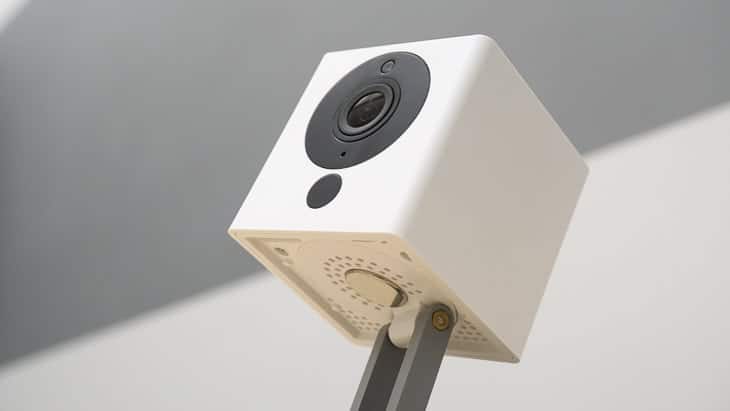
At just $19.99, the Wyze Cam V2 is one of the most affordable security cameras on the market, which you can see from our Wyze camera pricing guide. But even with the cheaper sticker price, the Wyze offers all the features we expected from a security camera. The camera meets the industry standard of 1080p HD video, meaning we always got a clear, crisp video from our cameras. The clear video made it easy for us to keep eyes on our puppy while we were at work. When we tested the Wyze Home Security Camera, we mounted the camera in the kitchen, where we kept the puppy when we were out. With personalized motion detection zones we set it up to only get alerts when the camera detected motion around his food and water bowl. We saw how much food and water he was getting when we weren’t home, without getting constant notifications when he was just playing.
Integrates with Alexa, Google Assistant and IFTTT
Wyze Cam V2 integrates with most voice assistant devices making it a great choice for anyone who uses Alexa, Google Assistant or even IFTTT, which helps us connect devices of disparate brands to one another. Because we are tech junkies, we used Wyze with both Alexa and Google Assistant and found the voice activation worked well with both Alexa and Google Assistant. It was easy to record video as we headed out the door; all we had to say was “Alexa, start recording in the kitchen,” and we were good to go. If we forget to ask Alexa or Google to record we could use the app to start recording remotely.
7. eufy Smart Scale – Best Smart Home Device for Health Tracking

Our Favorite Features
- User-friendly app
- Integrates with Apple Health app
- Modern, sleek design
- Tracks health of up to 20 users
Our Least Favorite Features
- Inconsistent app connection
- Short warranty
- Inconsistent weight and Body Mass Index readings
- Collects personal data provided by the user during sign-up as well as from third parties and shares user information with third-parties
Integrates with Apple Health App
While scales aren’t for everyone, the eufy Smart Scale made tracking our health easy. With the option to use either the EufyLife app, Google Fit or the Apple Health app that came with our iPhones, we had our body weight and body fat measurements handy at any given time. Other metrics the scale provided us included body mass index, visceral fat, lean body mass, bone mass and muscle mass. While we didn’t focus on these measurements during our day to day lives, it was useful to have easy access to them when we went to our primary care doctors for physicals.
Tracks Health For Up To 20 Users
Because the scale tracked the health of up to 20 users and supported multiple device pairings, we didn’t have to worry about connecting and disconnecting before and after our use. Instead, the scale recognized which one of our devices was paired when we stepped on. This made it a product that everyone in our household could use and we only needed to invest in one scale.
8. Philips Hue Lighting – Best Smart Home Device for Automated Lighting

Our Favorite Features
- White and color ambiance lighting
- Integrates with Alexa and Google Assistant
- Bluetooth integration
- Three-year warranty
Our Least Favorite Features
- Expensive
- Must be plugged in
- Needs Wi-Fi
- Needs the Hue Bridge for additional features
White and Color Ambiance Lighting
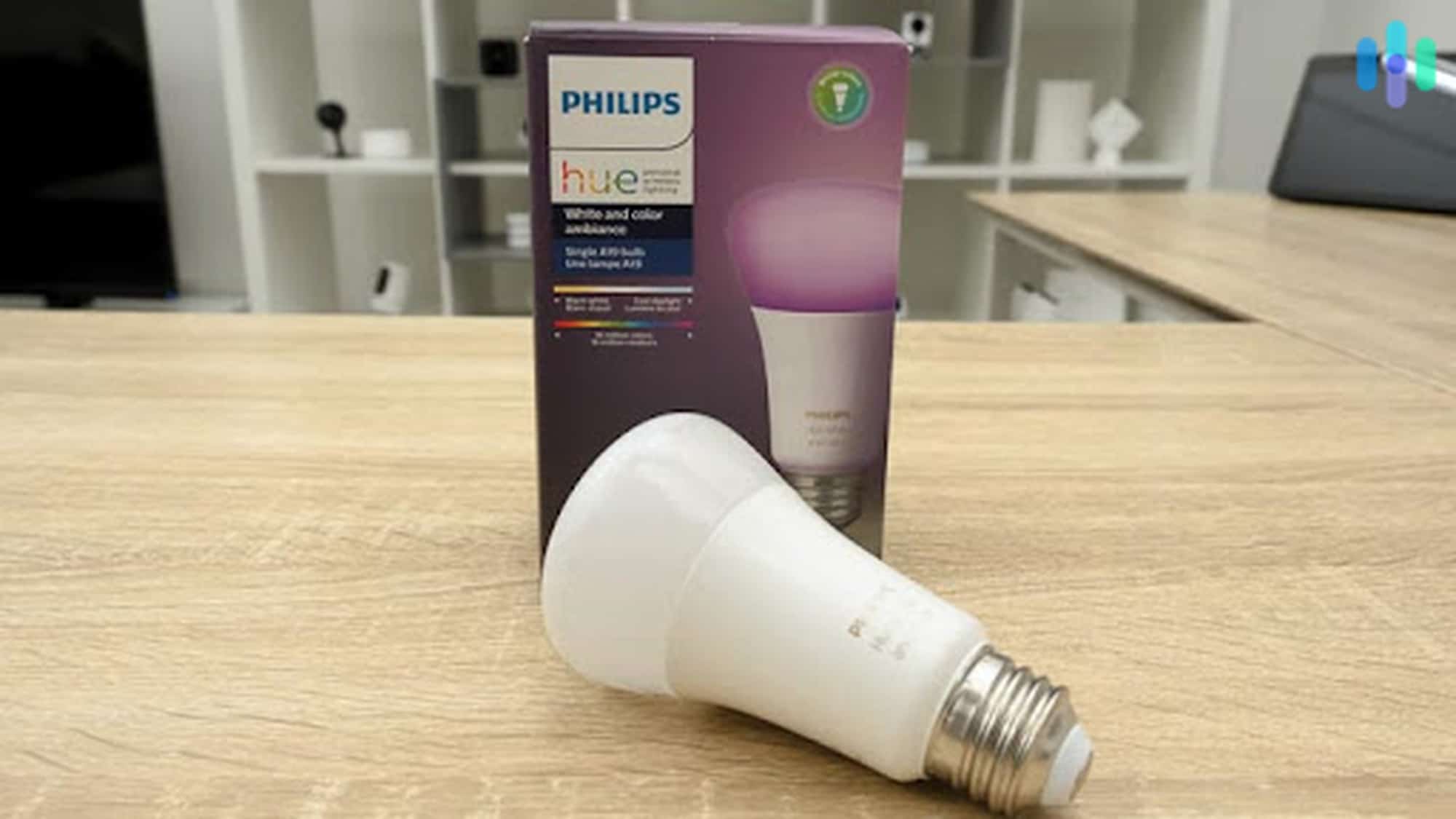
The Philips Hue White and Color Ambiance light bulb gave us the option to have white lighting or colored lighting. With regular white lighting, we changed the coloring from warm white to cool white depending on our moods. And with more than 16 million colors to choose from, we could set any scene we wanted. When we had friends over to watch movies, we would use a dimmer light that made our living room feel like a theater. And once, for our best friend’s birthday party, we used purple lighting to make the room read purple because that’s her favorite color.
Voice Assistant Integration
When we paired these lights to our Amazon Echo or Google Nest devices, which you can learn more about in our Echo Show 8 review or Google Nest Hub Max review, they seamlessly integrated with Alexa and Google Assistant. With voice integration features, gone are the days of having to manually turn off lights, since we could just ask Alexa to do so. One of our favorite times to use the voice assistant integration was at night when we were already tucked into bed. Instead of having to get up to turn the lights off, we could just tell our voice assistant to “turn off the lights.” The room automatically got dark, so we rolled over and fell asleep in a matter of minutes.
9. Apple HomePod – Best Smart Home Device for Listening to Music
Our Favorite Features
- Siri-enabled
- High-quality speakers
- Sleek design
- Recognizes up to six different users voices and offers a personalized listening experience for each user
Our Least Favorite Features
- Expensive
- Only works with Apple devices
- Doesn’t work with standard Bluetooth devices
- Limited Warranty
Siri-Enabled
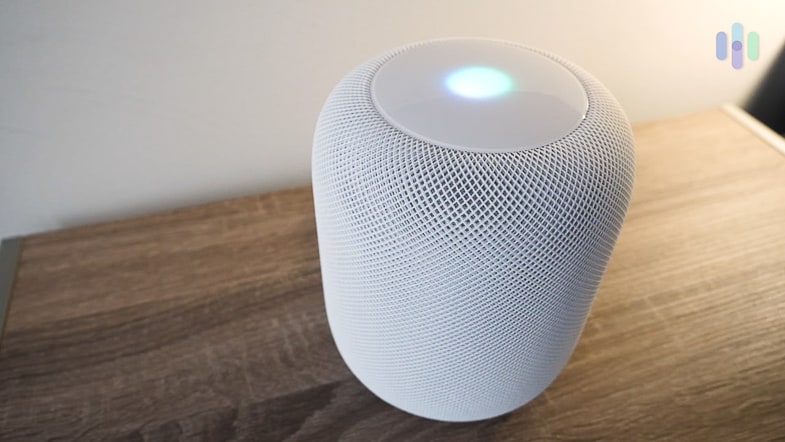
The Apple HomePod is Siri-enabled, so we could ask for anything through the Apple HomePod smart speaker. We asked Siri to tell us the weather while we were getting dressed for work in the morning and update us on the news of the day when we got home in the evening. Additionally, Siri and our Apple HomePod recognized up to six different voices, allowing us to personalize our listening experiences. When we asked Siri to play music, we got a variety of songs based on our past music selections. And with access to more than 60 million songs and 700,000 shows and podcasts, our choices were near endless. Long gone are the days of fishing through the same five CDs in our car!
High-Quality Speakers
The Apple HomePod had one of the best speakers we’ve used. We mainly wanted the Apple HomePod for music, so we wanted a great speaker. With refined, crisp sound and a woofer at the top of the speaker that faces upwards, the Apple HomePod didn’t disappoint. Whether we were listening to jazz or classical music, we always had something on in the background when we were making breakfast or dinner, so having a smart device with high-end speakers was a non-negotiable for us.
10. Kangaroo Home Security System – Most Affordable Smart Security Sensors
Our Favorite Features
- Instant activity alerts
- Easy installation
- Adjustable notifications
- 30-day money-back guarantee
Our Least Favorite Features
- Limited warranty
- Occasional false alarms
- Only works with Wi-Fi
- No event log
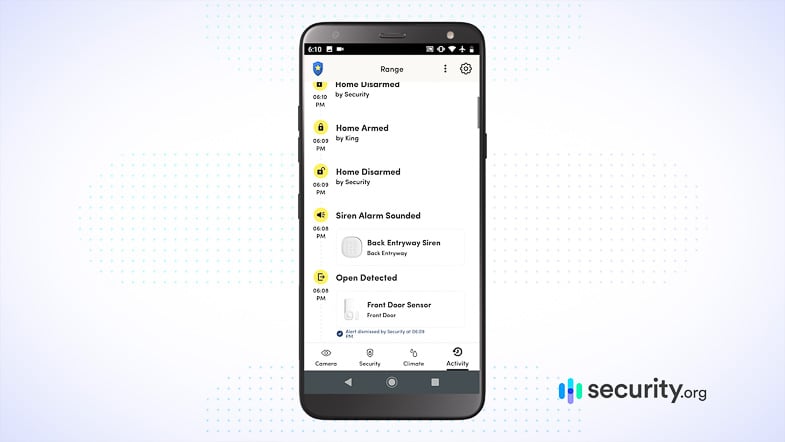
Instant Activity Alerts
One of our biggest pet peeves is when there’s only a drop of milk left, but instead of throwing away the carton, someone puts it back in the refrigerator. With our Kangaroo Motion and Entry sensor we now have a way to catch the culprit. We put the entry sensor on our fridge door and got alerts to the free mobile app on our phone anytime the door was opened. We also used the sensors on our front and back doors and received notifications when someone came or left.
Flexible Monitoring
We didn’t get excess notification thanks to Kangaroo’s flexible monitoring options, once we set it to monitor doors open and closing. At first, we had it set up to monitor all motion happening in the area as well as the opening and closing of doors. But, with a puppy walking around the house, we got constant movement notifications, so after about a month of owning the sensors, we opted to change our settings from complete motion and opening and closing of doors and windows to just opening and closing doors and windows.. The change was simple and if we wanted to change our preferences back, all we had to do was go to the app and make the switch.
link